Speed is the one technical characteristic of a site that every visitor feels immediately. They do not see your code and know nothing about plugins, but they know exactly how many seconds they spent staring at a white screen. And if there are too many, they simply close the tab.
Let us break down how to speed up WordPress and what website speed optimisation consists of: what Google measures, what actually slows a page down, in what order to fix it, and what not to expect from a “caching plugin”.
Why speed matters beyond SEO
Core Web Vitals are among the ranking signals — we covered that in the article on website SEO optimisation. But the impact of speed is far wider:
- Conversion. Some visitors leave before they even see your offer. This hurts most on paid traffic: you have already paid for that visit.
- Engagement metrics. A fast page gets more views and fewer bounces.
- Crawl budget. The crawler goes deeper and more often on a fast site.
- Mobile users. 4G on the move is not the fibre in the office where you test the site.
Core Web Vitals in plain language
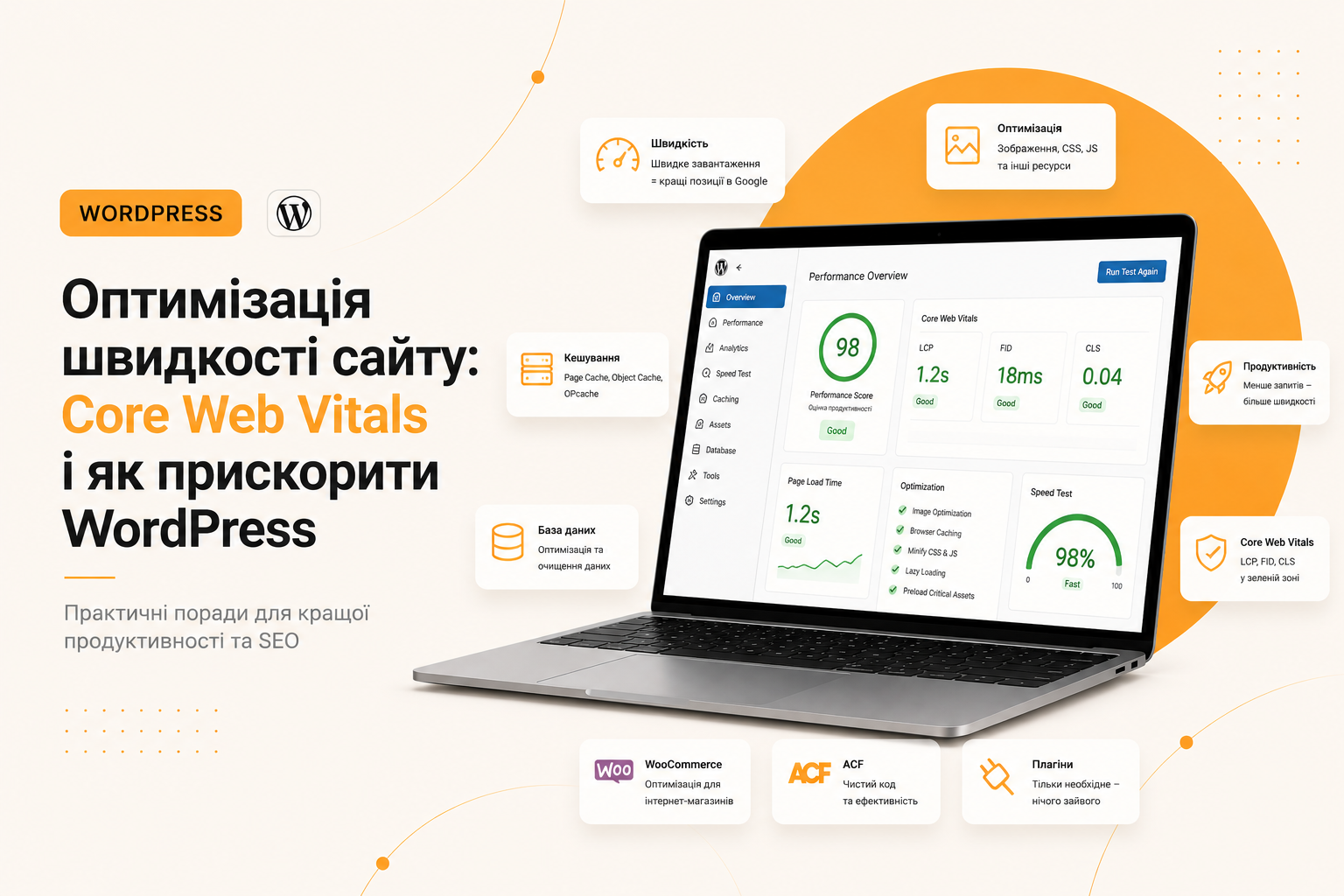
Google reduced user experience to three metrics. Each answers a simple question.
LCP — when the main content appeared
Largest Contentful Paint records the moment the largest visible element was painted — usually the banner or the headline of the first screen. Target: under 2.5 seconds. The usual culprits: a heavy image in the hero block, a slow server response, and render-blocking fonts.
INP — how quickly the page responds
Interaction to Next Paint replaced the old FID. It measures the delay between the user’s click and a visible interface response. Target: under 200 ms. Excess JavaScript ruins this metric: while the main thread is busy, the button “does not press”.
CLS — whether the layout jumps
Cumulative Layout Shift is the cumulative shift of content during loading. The classic case: you aim at a button, a banner finishes loading above it, and you tap something else entirely. Target: under 0.1. Cured by explicit image dimensions and reserved space for ads and widgets.
Lab data versus field data
It matters to distinguish the two kinds of measurement, otherwise you optimise the wrong thing.
- Lab data (Lighthouse, PageSpeed Insights) is a synthetic test under emulated conditions. It shows causes and gives a list of problems.
- Field data (CrUX, Search Console) means real visitors, their devices and networks. These are the numbers that ranking takes into account.
Do not chase “100 in Lighthouse”. The score is a derivative, not a goal. A site scoring 78 with green field metrics is better than one scoring 100 that real users experience as slow.
What actually slows a site down
Images
The most common cause and the cheapest to fix. The typical mistake is a 4000 px photo scaled down to 400 px by CSS: the browser still downloads the original. What to do: serve WebP (or AVIF), generate several sizes and serve them via srcset, set width and height in the attributes, enable loading="lazy" for everything below the fold — but not for the main hero image, otherwise LCP gets worse.
Third-party scripts
A chat widget, two analytics systems, a pixel, a map, a reviews widget, fonts from someone else’s CDN — each pulls in its own code and its own requests. Often it is these, not your site, that eat the seconds and ruin INP. The rule: every third-party script must justify its existence. Whatever survives should be loaded lazily, after interaction.
Bloated CSS and JS
Universal themes and visual builders load styles and scripts for every eventuality — even if the page consists of a heading and two paragraphs. Hence megabytes of unused CSS. A custom theme with critical CSS in the head and the rest loaded asynchronously delivers a gain no caching plugin can match.
Fonts
Three weights instead of two means hundreds of extra kilobytes and delayed text. Keep fonts locally (not on someone else’s CDN), stick to 2–3 weights, and use font-display: swap and preload for the main font.
Server and hosting
If the server thinks for 800 ms before delivering the first byte, front-end optimisation helps little. Look at TTFB: a reasonable target is under 200 ms. Cheap shared hosting, an old PHP version, a database without indexes and a hundred plugins — the classic recipe for a slow backend.
Caching: what and at which level
“Install a caching plugin” is not a strategy. Caching exists at several levels, and each solves its own task:
- Page cache — ready-made HTML instead of regenerating it. The biggest effect for anonymous visitors.
- Object cache (Redis, Memcached) caches database queries. Critical for stores and sites with logins.
- OPcache — compiled PHP bytecode. Enabled on the server, almost always worthwhile.
- Browser cache — static files (images, fonts, CSS) are not re-downloaded on every visit.
- CDN — files are served from a node closer to the user.
The minimum cache headers for static files on Apache look like this:
<IfModule mod_expires.c>
  ExpiresActive On
  ExpiresByType image/webp        "access plus 1 year"
  ExpiresByType image/svg+xml     "access plus 1 year"
  ExpiresByType text/css          "access plus 1 year"
  ExpiresByType application/javascript "access plus 1 year"
  ExpiresByType font/woff2        "access plus 1 year"
</IfModule>

<IfModule mod_deflate.c>
  AddOutputFilterByType DEFLATE text/html text/css application/javascript image/svg+xml
</IfModule>
A long lifetime is safe if the file names contain a version hash — then after an update the browser downloads the new file instead of holding the old one from cache.
How to speed up WordPress: the order of actions
- Measure and record the baseline. PageSpeed Insights + Search Console, mobile version without fail.
- Current PHP and decent hosting. Check TTFB — it is the foundation; without it the rest is pointless.
- Plugin review. Remove unused ones; check the impact of each that remains.
- Images. WebP, correct sizes,
srcset, lazy loading (except the hero). - Scripts and styles. Remove the unused, defer the non-essential, put critical CSS in the head.
- Caching. Pages, object cache, headers for static files, and a CDN if needed.
- Database. Revisions, spam, transients, autoloaded options.
- Measure again and monitor field data over a month.
If the metrics are still red after that, the problem most likely lies in the theme architecture. Sometimes it is cheaper to build a clean custom theme within a full-cycle project than to endlessly treat the symptoms of a builder.
Common mistakes
- Chasing scores. A 100 in Lighthouse with red field data is worthless.
- Installing three optimisation plugins at once. They conflict and break the layout.
- Lazy loading the hero image. A direct route to ruining LCP.
- Minifying everything without checking. Concatenating JS can break dependencies.
- Testing with the browser cache enabled. Test in incognito.
- Optimising only the home page. Traffic lands on inner pages.
FAQ
Why does a site load slowly?
Most often because of heavy images, an excess of plugins and third-party scripts, bloated CSS from a universal theme, and a slow server. The exact cause is shown by the PageSpeed Insights report together with the browser Network tab: there you can see which file is delaying the render.
Is a caching plugin enough?
No. Caching speeds up delivery of an already generated page, but it does not shrink image weight, remove unused CSS or save you from a dozen third-party scripts. It is an important tool, not a replacement for optimisation.
How much should a page weigh?
There is no universal standard, but the benchmark for a content page is a few hundred kilobytes, not megabytes. It is more practical to look not at weight but at metrics: LCP under 2.5 s, INP under 200 ms, CLS under 0.1 on a mobile device on a real network.
Does hosting affect speed?
Yes, and substantially. Hosting determines TTFB — time to first byte. If the server responds slowly, no amount of front-end optimisation compensates for that delay, because the browser is simply waiting. Aim for TTFB under 200 ms, a current PHP version and the ability to enable an object cache.
How long does speed optimisation take?
The basic package — images, caching, a review of plugins and scripts — is usually a few days of work. If the problem lies in the theme architecture or a builder, a deeper rebuild is needed and the timeline depends on the size of the site. An audit gives the precise estimate.
Summary
Speed is not a one-off campaign but a property of the architecture. You cannot glue it on with a plugin to a site assembled from a heavy theme and twenty extensions. What works is a sequence: a fast server → a light theme → optimised images → minimal scripts → caching. Plus monitoring field metrics rather than test scores.
Send me a link to your site — I will look at the metrics and tell you what will give the biggest speed gain for the least effort.