The phrase “full-cycle website development” sounds convenient: you order it and receive a finished result. In practice, though, different contractors mean very different things by it. Some deliver only the markup of a mockup; others hand over a fully configured site with content, analytics and hosting. The difference in final value is enormous.
In this article we break down what should be included in full-cycle website development, which stages a project goes through, what determines the price and timeline, and what to watch out for so you neither overpay nor end up with a half-finished site you will have to rebuild.
What “full-cycle website development” really means
Full-cycle website development, often called “turnkey”, means the client receives a resource that is fully ready to work: with design, responsive markup, a content management system (CMS), content, basic SEO and configured hosting. You do not need to separately find a designer, a front-end developer and an administrator and then piece their work together — one responsible party does it all.
What a proper full-cycle package includes
- A client brief and a written technical specification
- A prototype and page structure (UX)
- A unique design or adaptation of a ready-made solution
- Responsive markup (mobile, tablet, desktop)
- CMS integration — so you can edit the content yourself
- Content population (texts, images, products)
- Basic technical SEO
- Domain, hosting and SSL setup
- Analytics setup (GA4, Search Console)
- A short training session on the admin panel
- Warranty support after launch
What often is NOT included and becomes an extra charge
This is where most disputes arise. Check for these items in the quote separately:
- Professional copywriting and translation
- Photography and illustrations, paid stock images
- Complex integrations: CRM, ERP, delivery services
- Multilingual support
- Payment gateway integration
- Promotion (SEO, advertising) — this is a separate service
Tip: before signing, ask for a written list of what is included in the price. The wording “full-cycle development” without details is the most common cause of extra charges and missed deadlines.
Who full-cycle development suits
The full-cycle format is optimal if:
- you have no in-house IT team and no time to manage several contractors;
- you need a launch within tight and predictable deadlines;
- you value a single point of responsibility for the result.
Conversely, if you already have a designer and a marketer and only need markup or improvements, it is smarter to order a single stage rather than the full package.
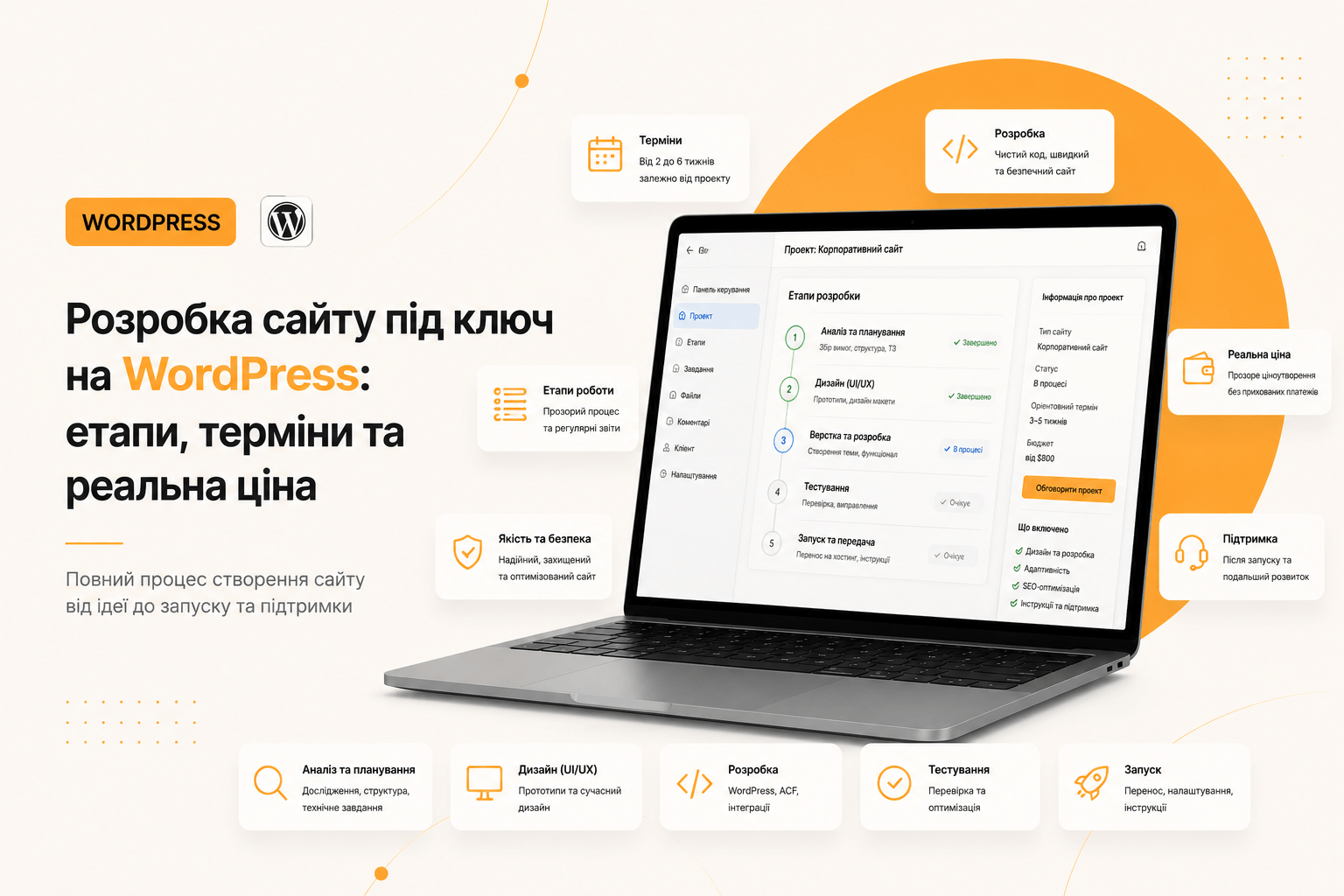
Full-cycle website development stages
1. Brief and technical specification
We discuss business goals, the target audience, competitors and the desired user actions. The output is a written specification: structure, functionality, timelines, cost. It is a document that protects both sides.
2. Prototype and structure
A schematic wireframe of the pages without colours or images. Here hypotheses are tested cheaply and quickly: where the button sits, which block comes first, whether the path to an enquiry is logical. Changing a prototype takes minutes; changing a finished site takes days.
3. Design
Based on the prototype, a mockup is drawn: typography, colours, button states, the mobile version. The design must be approved before markup begins — revisions at this stage are the cheapest.
4. Markup and development
The mockup becomes a working site: semantic responsive markup, WordPress integration, configuration of editable blocks. A good quality indicator is when the client can change any text or image without a developer.
5. Content population
Texts, images, products, meta tags. A site without content can neither be tested nor delivered — which is why population is part of a proper full-cycle package.
6. Testing and launch
We check cross-browser behaviour, mobile devices, speed (Core Web Vitals), form correctness, 404 pages and redirects. Then comes migration to production hosting, SSL, and connecting analytics and Search Console.
7. Post-launch support
A warranty period for bug fixes, CMS and plugin updates, backups. A website is not a one-off purchase but a tool that needs maintenance.
Why WordPress is the optimal choice for a full-cycle website project
- You are not dependent on the developer. Content is edited in the straightforward Gutenberg editor.
- Flexibility. From a landing page to a WooCommerce store — on one platform.
- SEO friendliness. A clean structure, controllable meta tags, fast indexing.
- Cost of ownership. No CMS licence fees and a large pool of specialists.
- Performance. A custom theme without heavy builders delivers 90+ PageSpeed.
What determines the price of a full-cycle website project
Asking “how much does a website cost” without details is like asking “how much does a car cost”. The price is shaped by:
- Type of site: landing page, corporate site, catalogue or online store.
- Design uniqueness: adapting a ready-made template is cheaper than design from scratch.
- The number of unique pages and blocks.
- Integrations: payments, delivery, CRM — each adds hours.
- Content: whether you already have texts and photos.
- Timelines: “needed yesterday” always costs more.
The main rule: a cheap website is expensive. Saving at the specification and prototype stage usually turns into a complete rebuild within six months.
How long development takes
- Landing page: 1–2 weeks
- Corporate site: 3–5 weeks
- Online store: 6–10 weeks
Deadlines almost always slip for one reason — delays in content and approvals from the client. That is why the specification should fix not only the contractor’s deadlines but also the dates for providing materials.
Checklist: how to choose a contractor
- Ask for a written specification and quote with a list of work items.
- Look at live projects, not just images in a portfolio. Open them on a phone.
- Check the speed of those sites in PageSpeed Insights.
- Ask who will own the credentials to the domain, hosting and code.
- Find out whether you will be able to edit the content yourself.
- Clarify the warranty terms and further support.
FAQ
Will I be able to edit the site myself?
Yes. The site is handed over with a configured admin panel: texts, images, products and blocks are edited without code. A short training session follows delivery.
Are hosting and the domain included in the price?
The setup — yes. Paying for hosting and the domain is an annual expense registered in your name, not the contractor’s. This matters: the credentials must belong to the business owner.
What about support after launch?
A warranty period for bug fixes applies. After that, optional monthly maintenance: updates, backups, minor improvements.
Will the site be fast?
Yes, if heavy builders are avoided. A custom theme, optimised images, caching and a CDN deliver a steady 90+ PageSpeed score and green Core Web Vitals.
Summary
Full-cycle website development is not “just make it look nice” but a managed process: specification → prototype → design → markup → content → testing → launch → support. A transparent quote, a written specification and credentials on your side are the three things that separate a sound project from a troubled one.
If you need a site that runs fast, is easy to edit and brings in enquiries — tell me about your task and I will propose a solution and rough timelines.